Step-by-step workflow
AI Brand Visual Workflow
Establish a unified visual identity for a new product quickly, covering logo concepts, key visuals, and multi-scene asset extension.
- Difficulty
- Intermediate
- Estimated time
- 3-5 hours
- Steps
- 4
- Best for
- Marketing teams building a new brand identity from zero; design leads producing consistent assets at low cost.
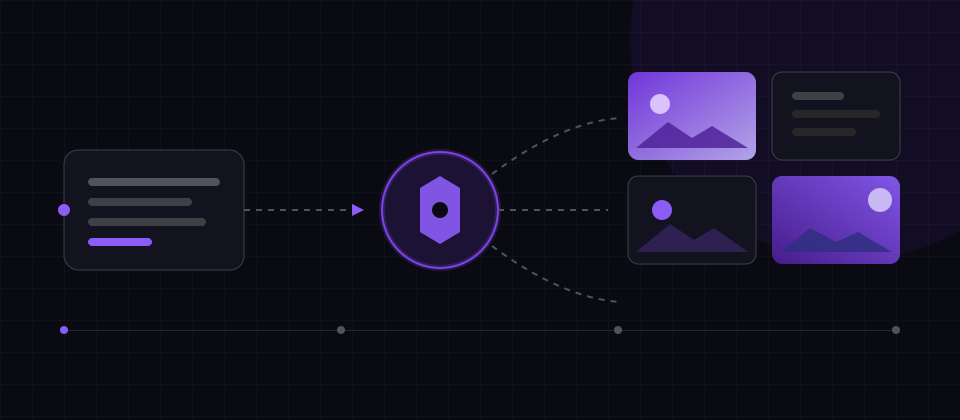
This workflow is rated "Intermediate" and takes about 3-5 hours, with 4 steps across 3 tools. Steps are editorial suggestions — add or drop stages to fit your project, and confirm each tool's account, quota, and platform requirements before starting to avoid interruptions.
Required tools



Steps
- 01
Define Brand Keywords
Distill brand personality keywords and color direction into style prompts.
- 02
Logo & Graphic Concepts
Generate vector logo concepts and supporting graphics, then shortlist directions.
Suggested tool: Recraft
- 03
Key Visual
Produce the hero key visual with high-fidelity generation in a consistent art style.
Suggested tool: Midjourney
- 04
Multi-scene Extension
Batch-extend into social covers, listing pages, and offline material layouts.
Suggested tool: Canva AI
Executable exercise and acceptance
This is an editorial procedure based on official documentation, not a completed product test. Inputs and numbers are exercise targets; expected results are acceptance criteria, not observed performance. Listed durations are planning estimates. Record actual versions and settings; cloud outputs can vary.
Prepare inputs
Input: a fictional brand name, three attributes, two color values, and a 24-pixel icon use case. This is a concept proposal, not a trademark clearance.
Environment, versions, and prerequisites
Use a vector mode or explicit vectorization in Recraft before SVG export. Midjourney supplies mood/key-visual concepts; Canva handles layout. Keep wordmarks manually editable and record models/references.
Run in this order
- Translate attributes into line, spacing, and color rules; create three monochrome directions.
- Vectorize one, inspect paths, reversed color, and 24-pixel recognition; typeset the wordmark manually.
- Apply the rules to an avatar, banner, and one-page guide; inspect native sizes and dark/light backgrounds.
Copyable English exercise fixture
Brand fixture: Luma Cup; calm, precise, welcoming; #163D2D and #F2EBDD. Compare three simple cup symbols in black and white. Test at 24 px before adding texture or color.Expected delivery and pass criteria
- An editable SVG concept, avatar/banner, and color/spacing guide. It must remain recognizable at small sizes and be labeled as not trademark-cleared.
Failure conditions and fallback
- Reject renamed PNGs, broken paths, garbled lettering, or inconsistent colors. Attractive or similar generations do not prove exclusive trademark rights.
Official references and review date
· Sources support tool capabilities and limits. Fixtures, sequence, and acceptance targets are our editorial design, not vendor performance promises.
Common mistakes to avoid
These are typical pitfalls our editors hit when assembling similar tool chains — check against them before you start and save yourself rework:
- Unfocused style keywords so generations drift from the brand
- Using raw generations without vector normalization, hurting production use
- Not archiving old assets after refreshes, creating mixed channel presentation