단계별 워크플로우
이커머스 상품 이미지 AI 워크플로
실제 상품을 보존하며 누끼·배경 합성·플랫폼 규격을 확인하는 편집 과정입니다. 상용 권한과 규정 적합은 별도로 검증합니다.
- 난이도
- 입문
- 예상 소요 시간
- 1-2시간
- 단계
- 3
- 이런 사람에게
- 이커머스 판매자와 브랜드, 플랫폼 규격에 맞는 상품 이미지를 대량으로 만들어야 하는 운영 팀.
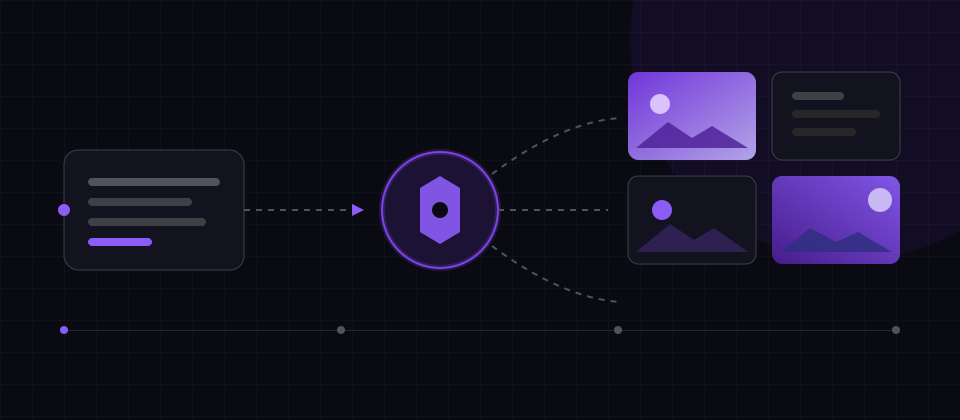
이 워크플로우의 난이도는 「입문」이며, 예상 소요 시간은 1-2시간이고, 전체 3단계·3개 도구를 사용합니다. 단계는 편집상의 제안이므로 프로젝트 규모에 맞게 공정을 늘리거나 줄이세요. 시작 전에 각 도구의 계정·이용 한도·플랫폼 요건을 확인하면 중간에 멈추는 것을 방지할 수 있습니다.
필요한 도구



단계
- 01
상품 누끼
상품 원본 이미지의 배경을 일괄 제거하고 깔끔한 피사체만 남깁니다.
추천 도구: remove.bg
- 02
장면 합성
브랜드 톤에 맞는 마케팅 장면 이미지를 상품에 합성합니다.
추천 도구: Flair AI
- 03
규격별 일괄 내보내기
플랫폼 규격에 맞춰 대표 이미지·상세 이미지·SNS 사이즈를 일괄 생성합니다.
추천 도구: Photoroom
실행 연습과 수락 기준
공식 문서 기반 편집 절차이며 본 사이트에서 실측하지 않았습니다. 입력·숫자는 연습 목표이고 기대 결과는 관찰 성능이 아닌 수락 기준입니다. 소요 시간은 계획 추정치입니다. 실제 버전·설정을 기록하며 생성 결과는 달라질 수 있습니다.
입력 준비
입력: 같은 SKU의 정면·측면 사진과 실제 라벨 문구. 대상 플랫폼 규격에 맞춰 흰 배경 주 이미지 1장과 장면 이미지 2장을 만듭니다.
환경·버전·전제 조건
remove.bg로 누끼를 만들고 Flair AI나 Photoroom으로 배경을 구성하되 실제 상품 픽셀 레이어를 보존합니다. 출력 권한·투명 형식·판매처 주 이미지 규칙을 확인합니다.
실행 순서
- 정면 사진의 누끼를 밝고 어두운 배경에서 확대 점검해 수정합니다.
- 배경만 생성하고 실제 상품을 합성한 뒤 측면 사진으로 접지 그림자를 확인하고 라벨을 대조합니다.
- 흰 배경 주 이미지와 용도를 표시한 장면 2개를 출력하고 플랫폼의 크기·자르기·여백 규정을 확인합니다.
복사 가능한 영어 연습 예제
SKU fixture: matte blue 350 ml mug, real label retained. Background A: plain white. Background B: breakfast table. Background C: office desk. Do not regenerate logo, handle, color, or capacity label.기대 산출물·통과 기준
- 용도별 이미지 3장·복구 가능한 상품 레이어·규격 대조표. 모양·색·라벨이 원본과 같아야 합니다.
실패 조건·대안
- 라벨 오류·색 변경·크기 과장·테두리 후광이 있으면 합성으로 돌아갑니다. 규정 확인 없이 적합하다고 쓰거나 미포함 부속품을 암시하지 않습니다.
공식 근거·확인일
· 출처는 기능과 제약의 근거입니다. 예제 입력·순서·기준은 편집 설계이며 공급자의 성능 약속이 아닙니다.
흔한 실수와 회피 포인트
편집 측이 비슷한 도구 조합을 써보고 겪은 전형적인 문제들입니다. 시작 전에 대조해 보면 재작업의 수고를 크게 줄일 수 있습니다:
- 상품 누끼 가장자리가 거칠어 질감이 떨어지는 경우
- 장면이 브랜드 톤과 맞지 않아 시각적 통일성이 깨지는 경우
- 플랫폼 규격에 맞춰 내보내지 않아 업로드 후 압축되거나 잘리는 경우